
Key takeaways
- Steam Frame launches at $1,060–$1,300 but delivers mixed results, with software issues and unclear target audience undermining its premium positioning.
- Wireless PC streaming stands as the device's genuine strength, functioning flawlessly compared to previous VR headset implementations.
- The $600 Meta Quest 3 offers better value for newcomers and existing VR players gain little from switching, raising questions about who should actually buy this headset.
- VR gaming's stagnation in 2026—dominated by Beat Saber and Half-Life: Alyx from years past—means even Valve's capable hardware cannot reverse the genre's creative decline.
Valve’s newly released Steam Frame represents the company’s latest push into virtual reality hardware, arriving as the successor to its aging Index headset. The standalone VR device launches at $1,060 for a 256GB model and $1,300 for the 1TB variant, with an optional $60 Ergonomics Kit adding controller straps and a top support strap. Pre-registration and pre-order access runs through September 17, though the more pressing question isn’t when to buy one, but whether to buy one at all.
Lightweight But Fragile Build
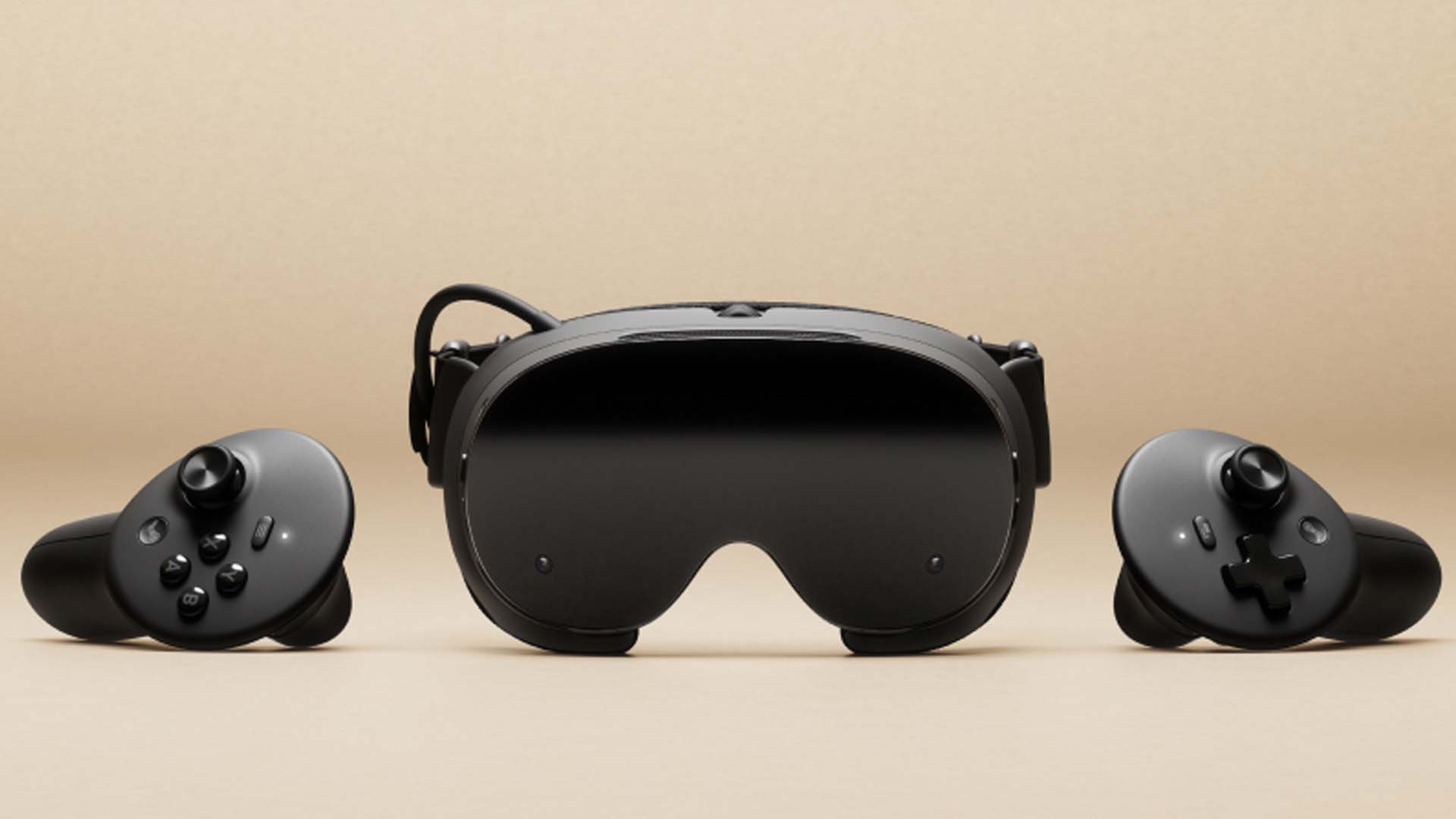
The Steam Frame’s industrial design prioritizes weight reduction through a minimalist approach: thick plastic goggles paired with cloth straps, a rubbery battery pack that doubles as a rear skull support, and magnetically attached faceplate and cushion guard. On paper, this construction delivers a genuinely comfortable wearing experience, potentially among the most comfortable VR headsets currently available. The display and lenses are sharp enough that extended menu navigation doesn’t cause eye strain, with text clarity that justifies the device’s premium positioning.
However, the tactile experience of holding the Steam Frame undermines confidence in its price point. The device feels clumsy and delicate when picked up, with fingerprints and smudges highly visible against its shiny black plastic finish. The magnetic attachments, intended as a convenience feature, instead produce audible creaking and cracking sounds each time the headset is lifted, a persistent reminder that this does not feel like a $1,300 device despite its comfort once worn.
Controllers That Miss the Mark
Design Compromise
Valve’s decision to redesign the Steam Frame’s controllers represents a significant step backward from the company’s work on the Index controllers. The new controllers mirror the standard design that has become ubiquitous across modern VR platforms—most notably resembling Meta Quest controllers—rather than expanding upon Valve’s previously superior hardware. Without the $60 Ergonomics Kit, the controllers are bare plastic wands requiring constant grip, a bare-minimum implementation. Even with the included hand straps, button placement feels awkward, and the grip trigger fails to match the functionality that Index controllers offered years ago.
Comfort and Usability
The hand straps from the Ergonomics Kit transform the controllers from uncomfortable to merely acceptable, though experienced VR users accustomed to Index hardware will recognize this as a regression rather than progress. Button placement issues persist even after accounting for the straps, creating friction during extended play sessions and limiting the device’s appeal to users migrating from previous Valve products.
Software Experience and Interface
Much like the Steam Machine before it, the Steam Frame ports the Steam Deck experience directly into VR. Users already familiar with Steam’s desktop interface or the Deck’s UI will navigate the Frame’s menu system without difficulty. The theoretical appeal is straightforward: install VR games directly to the standalone device without requiring a PC, then play immediately. Reality proves messier than this vision.
During testing, the Steam Frame exhibited persistent connectivity problems. The device required three separate restarts before initially connecting to wifi, and later demanded multiple wifi disconnections and reconnections just to resume game downloads. While Valve pushed frequent OS updates during the review period, the wifi issues persisted even after the latest patches arrived. Beyond connectivity, gameplay itself revealed instability: random black screen cuts during standalone play, inconsistent controller tracking, and performance stuttering affected both Steam Frame-verified and non-verified titles.
Game Performance: Ambitious But Compromised
Half-Life: Alyx on Hardware
Half-Life: Alyx arrives as the flagship title running natively on Steam Frame hardware, a feat Valve describes as nearly impossible when development began. The publisher explained that foveated rendering combined with eye-tracking proved decisive, allowing the 16GB VRAM to avoid asset degradation or gameplay compromises. Yet achieving this required an additional year of development work, and the end result still demands significant visual sacrifices. To maintain steady framerates during testing, graphics settings had to drop to low, and even then, stuttering occurred during intensive scenes—particularly during combat or when destructible objects detonated. Players new to Alyx who tolerate visual downgrades will find the experience playable, and every Steam Frame ships with a copy included, making it worth attempting. Future updates may improve performance, but the current implementation represents a suboptimal way to experience what is considered among the best VR games ever made.
Compatibility Challenges
The Walking Dead: Saints & Sinners failed to launch at all, trapping users at a position-reset screen regardless of control attempts or community-created control schemes. Beat Saber, a VR staple since 2018, initially crashed the headset repeatedly before becoming stable after a Steam Frame update and graphics setting reductions. Half-Life 2 VR, a fan-made port, ran nearly flawlessly and emerged as a genuine highlight, suggesting that less demanding titles performed more reliably. Arizona Sunshine Remake also ran without issues until battery depletion, providing extended play sessions that demonstrated the potential when software and hardware alignment occurs.
Wireless Streaming: The One Standout Feature
While the Steam Frame itself presents mixed results, its wireless streaming implementation stands as the device’s most impressive accomplishment. Using an included wireless puck connected to a PC and relying on home wifi, Valve delivers a streaming solution that functioned flawlessly throughout testing—a marked contrast to previous attempts at PC-to-headset streaming with other VR platforms. The Meta Quest 2 and Quest 3 both suffered from noticeable lag, limitations, and compression artifacts when attempting similar workflows. The Steam Frame’s approach was so seamless that the absence of a physical cable became almost imperceptible during gameplay, a revelation for users accustomed to managing tethered VR setups.
This streaming capability also extends battery longevity beyond the direct play window. Standalone gaming delivered 60 to 90 minutes per charge depending on visual intensity—Half-Life: Alyx drained batteries fastest, while rhythm games like Beat Saber consumed less power. When streaming PC titles, battery duration stretched further, though users still needed periodic charging breaks during extended sessions.
Positioning and Target Market
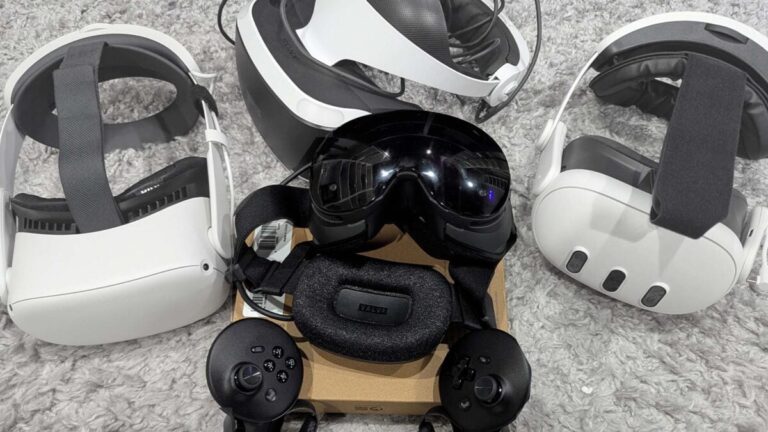
The central problem plaguing the Steam Frame is not its technical capability but its identity. For newcomers to VR, the $1,000+ price tag represents a prohibitive barrier when an officially refurbished Meta Quest 3 can be purchased for under $600—a headset that feels more substantial in hand and delivers stable performance without the troubleshooting that Steam Frame users must navigate. The Quest 2 offers an even lower entry point, though at significant capability reduction.
Existing VR enthusiasts face equally poor incentives. Players already invested in Quest 3 or Pimax ecosystems gain little from migrating to the Steam Frame unless Steam integration specifically addresses previous pain points—yet most experienced users report having already resolved such issues through accumulated workarounds. Users with high-end gaming PCs but no VR headset encounter more affordable alternatives offering equivalent experiences without the Steam Frame’s premium positioning.
The device exists primarily because Valve’s Index required replacement after nearly six years on the market and because the company wanted to demonstrate commitment to Steam’s established VR library. From a strategic perspective, these goals make sense. From a consumer perspective, the Steam Frame checks necessary boxes without offering compelling reasons to purchase at its price point.
VR in 2026: A Genre in Decline
Beyond hardware specifics, the Steam Frame arrives during a downturn in VR gaming culture itself. When discussing VR with mainstream audiences, conversation consistently centers on two titles: Beat Saber from 2018 and Half-Life: Alyx from 2020. While new releases continue arriving, the genre has calcified around predictable formulas—gallery shooters, puzzle games, and physics-based experiments. The space feels stagnant rather than innovative, and even exceptional hardware cannot overcome the perception that VR represents a creative dead end rather than gaming’s future. The Steam Frame launches not only at a premium price but at a moment when premium hardware cannot rescue an ecosystem that audiences have largely moved past.
Frequently Asked Questions
How much does the Steam Frame cost and what storage options are available?
The Steam Frame costs $1,060 for the 256GB model and $1,300 for the 1TB version. An optional $60 Ergonomics Kit adds controller straps and a top support strap. Pre-registration and pre-order runs through September 17.
Can Half-Life: Alyx run on the Steam Frame?
Yes, Half-Life: Alyx runs natively on the Steam Frame using foveated rendering and eye-tracking technology combined with the device's 16GB VRAM. However, graphics must be lowered to low settings to maintain steady framerates, and stuttering still occurs during intensive scenes. Every Steam Frame ships with a copy included.
How long does the Steam Frame battery last and what is the wireless streaming feature?
The Steam Frame delivers 60 to 90 minutes of battery life when playing games installed directly on the headset, varying by game intensity. Its standout feature is wireless PC streaming using an included wireless puck and home wifi, which proved seamless and lag-free during testing—significantly better than streaming solutions offered by competitors like Meta Quest.
